
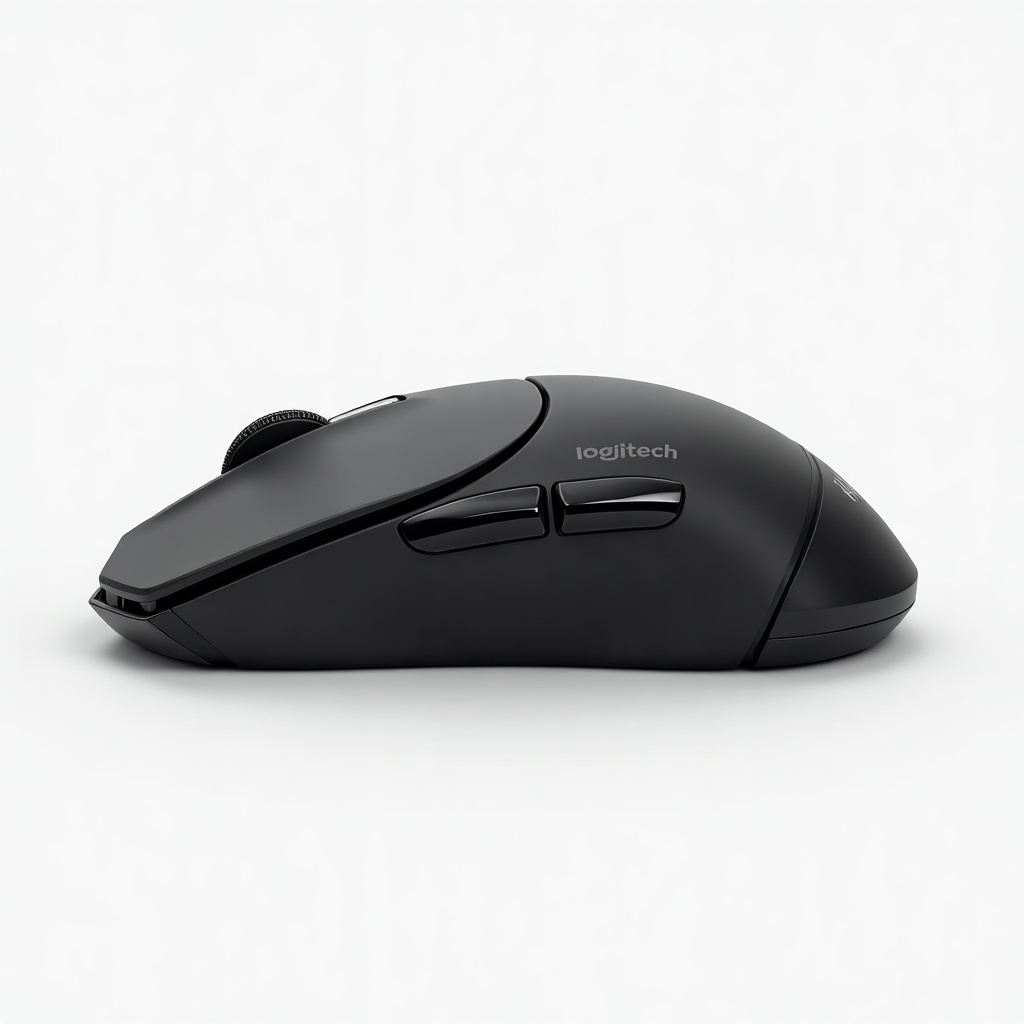
Logitech MX Master 3S for Mac Review

Whisper-quiet clicks and a hyper-fast scroll wheel built for Mac workflows.
The MX Master 3S is the mouse most Mac power users settle on after trying everything else. Quieter clicks and a scroll wheel that flies through long documents are the real draw.
What the MX Master 3S for Mac actually is
This is Logitech's flagship productivity mouse in a Mac-flavored package. The hardware is essentially identical to the standard 3S, but this version ships in space gray or pale gray, includes a USB-C cable instead of USB-A, and is tuned to play nicely with macOS out of the box. It connects over Bluetooth or Logitech's Bolt receiver, and it tracks on glass thanks to the 8,000 DPI sensor.
The headline upgrades over the older MX Master 3 are the quieter switches and that higher-resolution sensor. Everything else owners loved carried over. The sculpted shape, the thumb wheel, the gesture button hiding under your thumb, and the MagSpeed scroll wheel that ratchets through a list line by line or spins freely when you flick it hard.
How it performs day to day
The scroll wheel is the part people don't shut up about, and for good reason. Spreadsheets and long web pages that used to take a dozen swipes become one flick. The wheel auto-shifts between clicky and free-spin modes based on how fast you push it, and it works as well as the marketing promised. Reviewers and owners broadly agree this is the best scroll experience on any consumer mouse.
The 'Quiet Clicks' name is honest. The buttons are noticeably muffled compared to the old 3, which matters in a shared office, on a call, or in a quiet apartment. Battery life is the other quiet hero here. A full charge lasts around 70 days, and a quick plug-in over USB-C gets you hours of use in minutes. You can also pair it to three devices and flip between a Mac, an iPad, and a work laptop with a button.
Logi Options+ is the software that unlocks the good stuff: app-specific button mappings, scroll customization, and Flow, which lets you drag files between two computers as if they share one cursor. The app has improved but still feels heavier than it needs to be, and some people find it nags about updates.
The catches worth knowing
This is a big mouse built for medium-to-large hands. If your hands run small, or you favor a claw or fingertip grip, it will feel like driving a van. Lefties are out of luck entirely. The shape is right-handed only.
It's also not a gaming mouse. The sensor is fine, but the weight and the Bluetooth-first design aren't built for twitch shooters. And the price stings if you only browse and send email. You're paying for productivity features a casual user will never touch.
Who should buy it, who should skip it
Buy it if you spend your day in spreadsheets, code, design tools, or long documents and you have average-to-large hands. The scroll wheel alone earns its keep for heavy data work, and the multi-device switching is a genuine time saver if you juggle a Mac and an iPad.
Skip it if your hands are small, you're left-handed, or you mostly game. Light users should look at the cheaper Logitech MX Anywhere 3S or a basic Bluetooth mouse and pocket the difference. And if you already own the MX Master 3, the jump to the 3S is minor unless click noise genuinely bothers you.
The verdict
The MX Master 3S for Mac is the default recommendation for Mac productivity, and it deserves the reputation. At roughly $90 to $120 it isn't cheap, but the scroll wheel, comfort, battery, and quiet clicks add up to a tool you'll use every day for years. The Mac version is worth the small premium mainly for the matching color and the USB-C cable. Big hands, heavy desk work, get it.
Frequently asked questions
- What's the difference between the MX Master 3S and the Mac version?
- The internals are the same. The Mac edition comes in space gray or pale gray, ships with a USB-C cable, and is tuned for macOS. The standard 3S works fine on a Mac too, so buy the Mac version mainly for the color and cable.
- Is the MX Master 3S good for left-handed users?
- No. The body is sculpted strictly for a right-handed grip, with the thumb wheel and gesture button on the left side. Lefties should look elsewhere.
- Does the MX Master 3S need the Logi Options+ software?
- It works as a basic mouse without it, but you'll want Options+ to remap buttons, customize scrolling, and use Flow for moving files between two computers. Expect it to ask about updates now and then.
Marcus has spent over a decade testing consumer tech and gadgets. He cares about whether a product earns its price in real life — not on a spec sheet.


