Kindle Paperwhite Review

Carry a library that reads great in sunlight, survives the bath, and lasts weeks per charge.
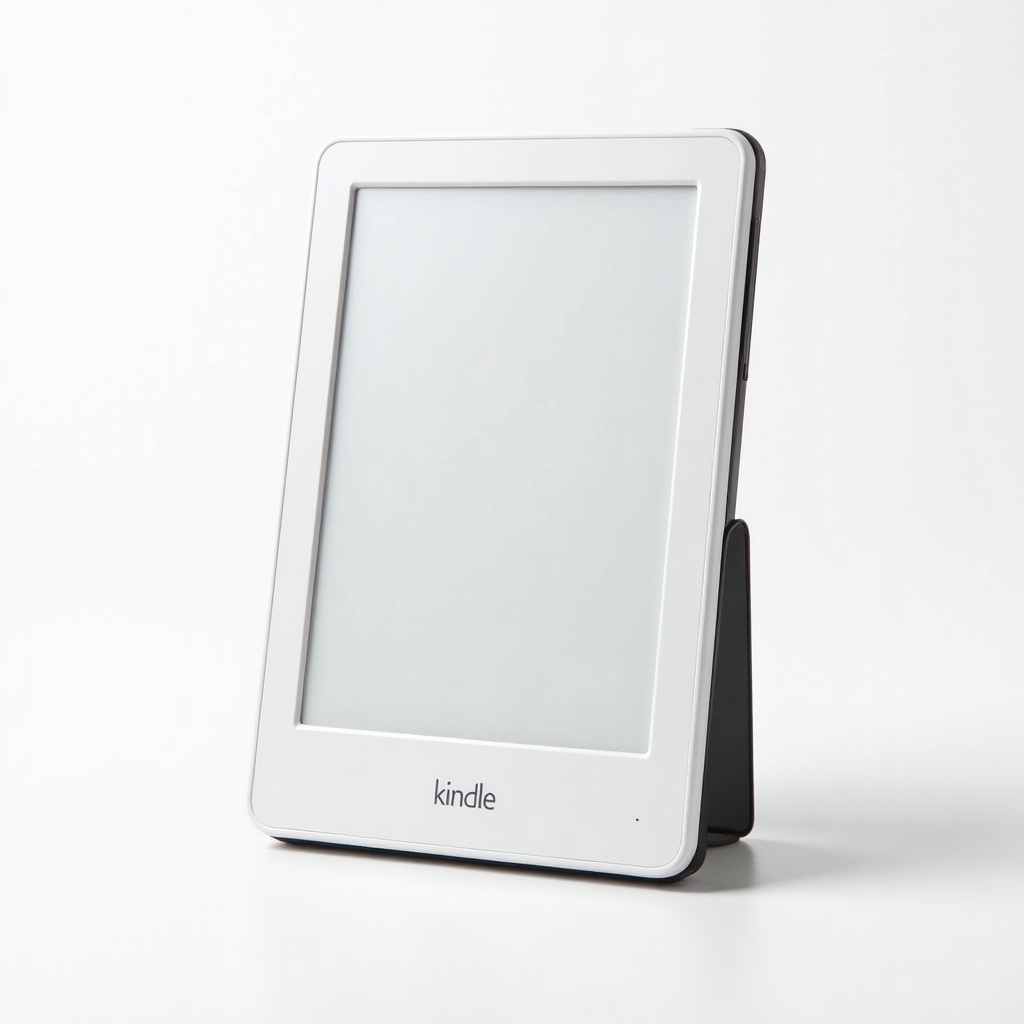
Thousands of books in a slab thinner than a paperback, readable in harsh sun, and good for weeks between charges. The Paperwhite is the easy answer for most readers.
What the Kindle Paperwhite Actually Is
This is Amazon's mid-tier e-reader, the one most people mean when they say "Kindle." It sits above the cheaper base Kindle and below the premium Oasis-style models, which is exactly where the value lives. You get a 6.8-inch glare-free E Ink screen, an adjustable warm-to-cool front light, USB-C charging, and an IPX8 waterproof rating that means it shrugs off a drop in the tub or the pool deck.
Price floats around $140 to $160 depending on storage and whether you accept the lock-screen ads. It's not a tablet. It doesn't do email, browsing, or YouTube, and that's the point. The whole appeal is a device built to do one thing without distracting you with everything else.
How It Performs Day to Day
The screen is the reason to buy. Matte E Ink looks like printed paper, holds up in direct sunlight where a phone or iPad turns into a mirror, and won't strain your eyes during a late-night chapter. The adjustable warmth lets you dial the white-blue glow down to a cozy amber before bed, which is a genuine quality-of-life upgrade over older Kindles.
Battery life is the other headline. Owners routinely report weeks per charge with normal reading, and the move to USB-C means you're not hunting for an ancient micro-USB cable. Page turns are quick. The text feels sharper than the cheaper Kindle thanks to the higher pixel density. It's not instantaneous like an LCD, but for reading, the slight refresh delay is a non-issue.
The waterproofing earns its keep. Beach, bath, poolside, sweaty gym bag. People who'd never risk a phone near water read freely with this thing, and that confidence changes where you actually use it.
The Honest Downsides
Amazon's ecosystem lock-in is real. Buying books outside the Kindle store and getting them onto the device is more fiddly than it should be, and EPUB support still goes through conversion rather than feeling native. If you're a library-heavy reader using Libby, it works, but the experience is built to funnel you toward Amazon's store.
The ad-supported version puts sponsored screens on your lock screen, and paying to remove them feels a little cheeky on a device you already bought. The interface can lag when you're poking around menus or the store. And there's no physical page-turn button, so if you love a tactile click, the pricier Oasis is the only Kindle that still offers one.
Who Should Buy It and Who Should Skip
Buy it if you read regularly and want a focused device that travels well, survives water, and lasts forever between charges. It's our default recommendation for frequent readers, commuters, and anyone gifting a reader to a book lover. The Signature Edition adds wireless charging, more storage, and an auto-adjusting light, but most people won't miss those extras and can pocket the savings.
Skip it if you barely read, in which case the cheaper base Kindle does the job for less. Skip it if you need color for comics, magazines, or textbooks, where a Kindle Colorsoft or a tablet makes more sense. And skip it if you're deep in another ecosystem like Kobo and want easy access to non-Amazon stores.
The Verdict
The Paperwhite is the Kindle to get for the vast majority of readers. The screen, battery, and waterproofing hit the sweet spot, and the price stays reasonable. Its flaws are mostly about Amazon's walled garden, not the hardware. If you read and you don't need color, this is the buy.
Frequently asked questions
- Is the Kindle Paperwhite waterproof?
- Yes. It carries an IPX8 rating, meaning it can handle immersion in fresh water, so reading in the bath, at the pool, or on the beach is fine. Dry it off before charging.
- How long does the Kindle Paperwhite battery last?
- Owners commonly get weeks of reading per charge with typical use. Higher brightness and heavy page-turning shorten that, but it still vastly outlasts any phone or tablet. It charges over USB-C.
- Is the Paperwhite or the Signature Edition worth the extra money?
- For most people, no. The standard Paperwhite covers the essentials. The Signature Edition adds wireless charging, an auto-adjusting front light, and more storage, which are nice-to-haves rather than necessities.
Marcus has spent over a decade testing consumer tech and gadgets. He cares about whether a product earns its price in real life — not on a spec sheet.