Anker 555 USB-C Hub (8-in-1) Review

Turn one laptop port into eight—HDMI, ethernet, SD, and fast USB-C charging.
One USB-C port becomes eight: 4K HDMI, gigabit ethernet, an SD slot, and enough passthrough charging to keep a laptop topped up while it works. For thin-and-light owners drowning in dongles, that's the whole pitch.
What the Anker 555 actually is
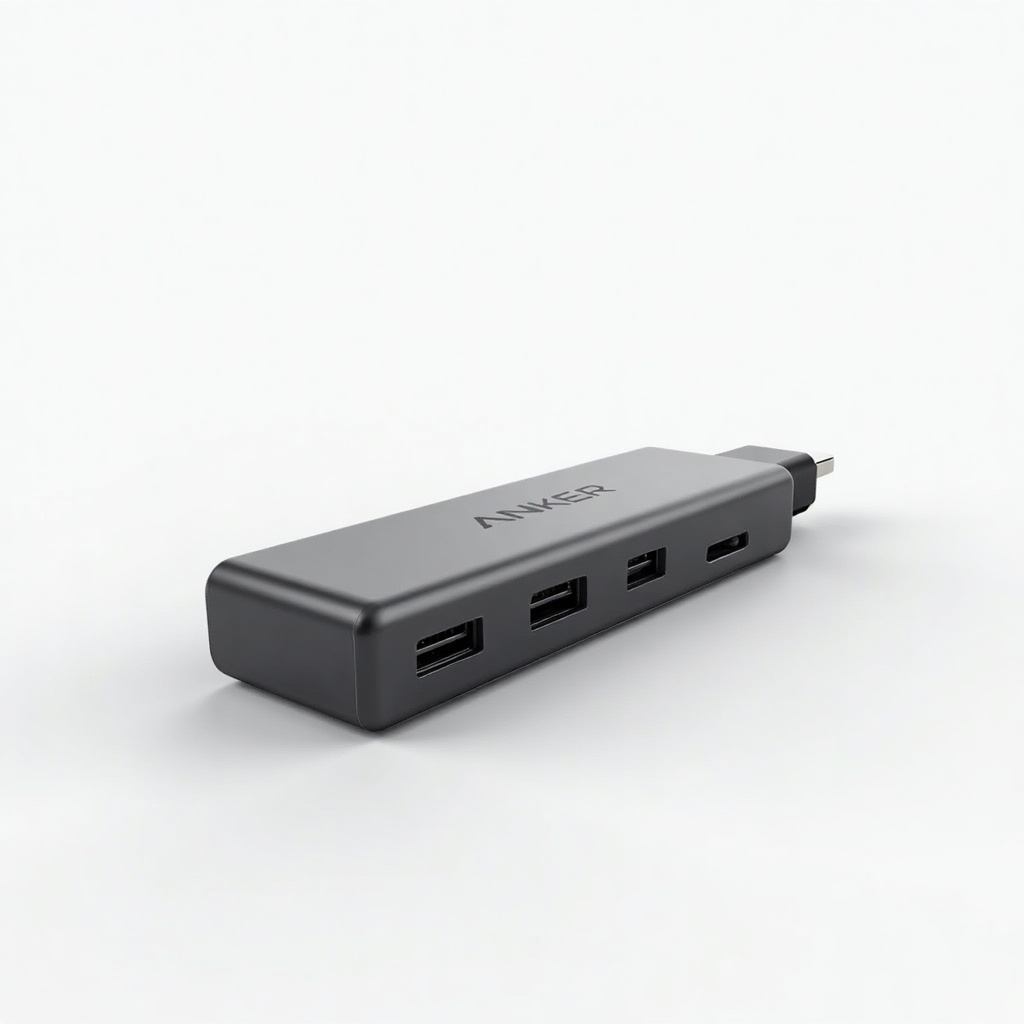
It's an 8-in-1 USB-C hub aimed at people whose laptop shipped with two ports and a shrug. You plug it into one USB-C port and get back a 4K HDMI output, gigabit ethernet, an SD and microSD card reader, a couple of USB-A ports, USB-C data, and a USB-C power input for passthrough charging. The headline numbers are 4K HDMI at 30Hz, true gigabit wired networking, and up to 100W input that delivers around 85W to the laptop after the hub takes its cut.
Anker has been making these for years, and the 555 is the version most people land on when they want a hub that covers the essentials without paying Thunderbolt prices. It runs roughly $50 to $80 depending on sales, which puts it above no-name Amazon hubs and well below a full dock.
How it performs day to day
The stuff people rely on works without drama. Ethernet hits real gigabit speeds, which matters if your job involves big file transfers or you just don't trust Wi-Fi for video calls. The card reader is genuinely useful for photographers pulling images off an SD card instead of fishing for a separate reader. Passthrough charging is the quiet hero here: one cable to your power brick keeps the laptop running while everything else is plugged into the hub.
The catch is the HDMI. It tops out at 4K 30Hz. For a connected monitor that's fine for spreadsheets, browsing, and video, but 30Hz feels sluggish for cursor movement and is a dealbreaker for anything that needs smooth motion. If you want 4K at 60Hz, this isn't the hub. The aluminum body warms up under load, which is normal for the category and not a fault, just don't expect it to stay cool while it pushes a display and charges at 85W.
Owners widely report it's reliable over the long haul, which is the part that separates Anker from the cheap stuff. The captive cable is short and a bit stiff, so plan for it to sit right next to the laptop rather than tuck out of sight.
The pros and cons, no padding
Pros: solid build, dependable gigabit ethernet, working SD reader, strong passthrough charging, and a name with an actual warranty behind it. It covers the ports most laptop users genuinely miss. Cons: 4K is capped at 30Hz, there's no DisplayPort or dual-monitor option, the short attached cable limits placement, and it gets warm under heavy use.
Worth noting it's a USB-C hub, not a Thunderbolt dock. If you saw the word 'hub' and expected to daisy-chain two 4K monitors at 60Hz, recalibrate. That's a different, pricier product.
Who should buy it (and who shouldn't)
Buy it if you have a MacBook Air, a Dell XPS, or any modern ultrabook with two ports and you need ethernet, occasional HDMI, card reading, and charging from a single connection. For travel, hybrid work, and pulling photos off a camera, it's an easy recommendation and our default pick in this price range.
Skip it if you need 4K 60Hz on an external monitor, want to run two displays, or already own a Thunderbolt dock. Gamers and video editors who care about refresh rate should spend more and get a proper dock with full bandwidth.
The verdict
The Anker 555 is the reliable, unflashy choice that does what most laptop owners actually need for a fair price. The 4K 30Hz HDMI is its real limitation, and you should buy it knowing that going in. If your monitor needs are light and you mostly want ethernet, charging, and card access from one cable, it earns the desk space.
Frequently asked questions
- Does the Anker 555 support 4K 60Hz?
- No. The HDMI output is capped at 4K 30Hz. It's fine for office work and video, but 30Hz feels choppy for cursor movement and isn't suitable for gaming or fast-motion content. For 4K 60Hz you'll need a different hub or a Thunderbolt dock.
- How much can the Anker 555 charge my laptop?
- It accepts up to 100W of input through its USB-C power port and delivers roughly 85W to the laptop after the hub draws its own power. That's enough to keep most ultrabooks charging while in use, though a power-hungry gaming laptop may charge slowly under heavy load.
- Will the Anker 555 work with a MacBook Air or MacBook Pro?
- Yes. It works with USB-C MacBooks and is a popular pairing with the MacBook Air. Just remember macOS only mirrors to one external display over a single-HDMI hub like this, and the output is limited to 4K 30Hz.
Daniel covers home, kitchen, and everyday-carry gear. He's a stickler for durability and value, and has no patience for overpriced hype.