
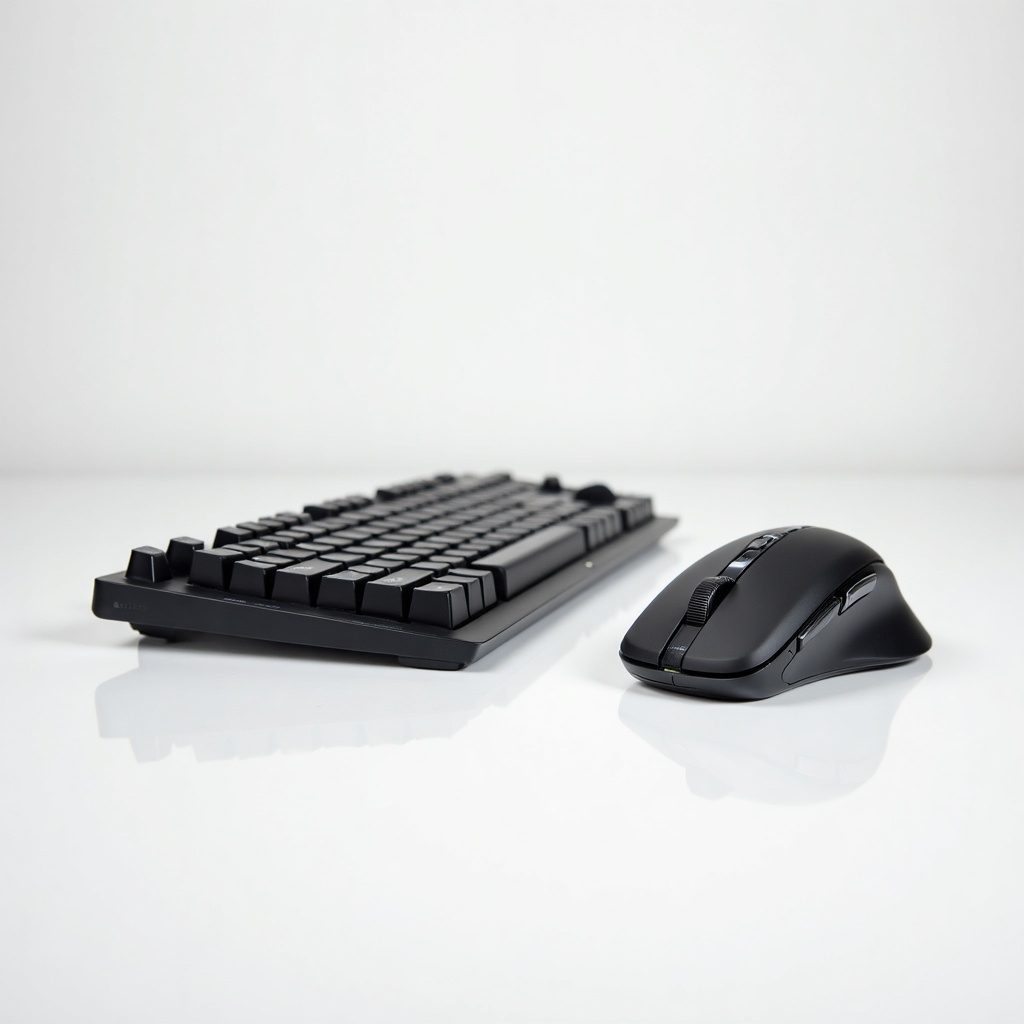
Logitech MX Keys Combo (Keyboard + Mouse) Review

A backlit keyboard and precision mouse pairing that makes long work sessions feel effortless.
This is the desk setup that quietly disappears under your hands and lets you work for hours without thinking about the gear. The MX Keys keyboard and MX Master mouse remain the default recommendation for people who type and click all day.
What you're actually buying
The combo pairs the MX Keys, a full-size wireless keyboard with backlighting and laptop-style low-profile keys, with one of Logitech's MX Master mice (usually the Master 3 or 3S depending on the bundle). Both connect over Bluetooth or Logitech's Bolt/Unifying USB receiver, and both charge over USB-C. Pricing for the pair tends to land somewhere in the $160 to $230 range on Amazon, which is a lot for a keyboard and mouse and also completely defensible once you understand what they replace.
These are productivity tools, not gaming gear. The keyboard has dished, scooped keycaps that your fingertips settle into, and a sensor-driven backlight that lights up as your hands approach. The mouse has the famous MagSpeed scroll wheel that flips between ratcheted clicks and a free spin that'll fly through a thousand-line spreadsheet.
How it performs day to day
The typing feel is the selling point. Keys are quiet, stable, and have a satisfying short travel that owners consistently say reduces finger fatigue on long sessions. If you like the feel of a good laptop keyboard but want a full layout with a number pad, this is close to ideal. If you crave the deep thock of mechanical switches, you'll find it shallow and a bit dead.
The MX Master mouse is the real hero here. The shape is sculpted for a palm grip, the thumb wheel and gesture button add genuinely useful shortcuts, and that scroll wheel is the feature people miss most when they go back to anything else. Logitech Options+ software lets you set per-app button mappings and copy a clipboard across two computers using Flow. Battery life is generous. The mouse runs weeks per charge, the keyboard a bit less if you keep the backlight cranked.
One quibble worth knowing: the MX Keys backlight burns through battery fast, and many owners just leave it off. The keyboard is also heavy and not adjustable beyond a couple of small feet, so it sits where you put it and doesn't tilt much.
The catches
Bluetooth pairing can be occasionally fussy, especially on Windows waking from sleep. The USB Bolt receiver fixes this and is what we'd recommend if you have a free port. Options+ software is also more bloated than it needs to be, and you'll want it installed to unlock the good stuff, which annoys people who prefer plug-and-play.
Mac and Windows both work well, and there are layouts tuned for each. The keys are labeled for both, so a Mac user gets proper Option and Command markings.
Who it's for and who should skip it
Buy this if you spend your day in documents, email, spreadsheets, code, or design apps and want a comfortable, reliable setup that lasts years. It's a strong pick for anyone running two machines, since Flow and multi-device pairing make switching painless. Office workers and writers are the sweet spot.
Skip it if you're a gamer who needs low latency and mechanical feel, in which case look at a dedicated gaming board. Skip it if budget is tight and a $40 Logitech combo would do the same job. And skip it if you specifically want a clicky, tactile typing experience, because this keyboard is the opposite of that on purpose.
The verdict
The MX Keys Combo earns its reputation. It's expensive, the software is heavier than it should be, and the backlight is more drain than benefit. None of that changes the fact that this is the most comfortable mainstream productivity pairing you can buy, and it's the one we'd point most desk workers toward without hesitation.
Frequently asked questions
- Does the Logitech MX Keys Combo work with Mac and Windows?
- Yes. Both devices support macOS, Windows, Linux, ChromeOS, iPadOS and Android, and the keycaps are labeled for both Mac and Windows. Logitech also sells a Mac-specific MX Keys variant if you want the layout tuned further.
- Is the MX Keys mechanical?
- No. It uses low-profile scissor-style keys, similar to a high-end laptop keyboard. They're quiet and shallow with short travel, so if you want the deep feel and click of mechanical switches, this isn't it.
- Bluetooth or the USB receiver, which should I use?
- Use the Bolt USB receiver if you have a spare port. It's more reliable than Bluetooth, especially when waking a Windows PC from sleep. Bluetooth is fine for tablets and phones or when you're out of ports.
Marcus has spent over a decade testing consumer tech and gadgets. He cares about whether a product earns its price in real life — not on a spec sheet.


