
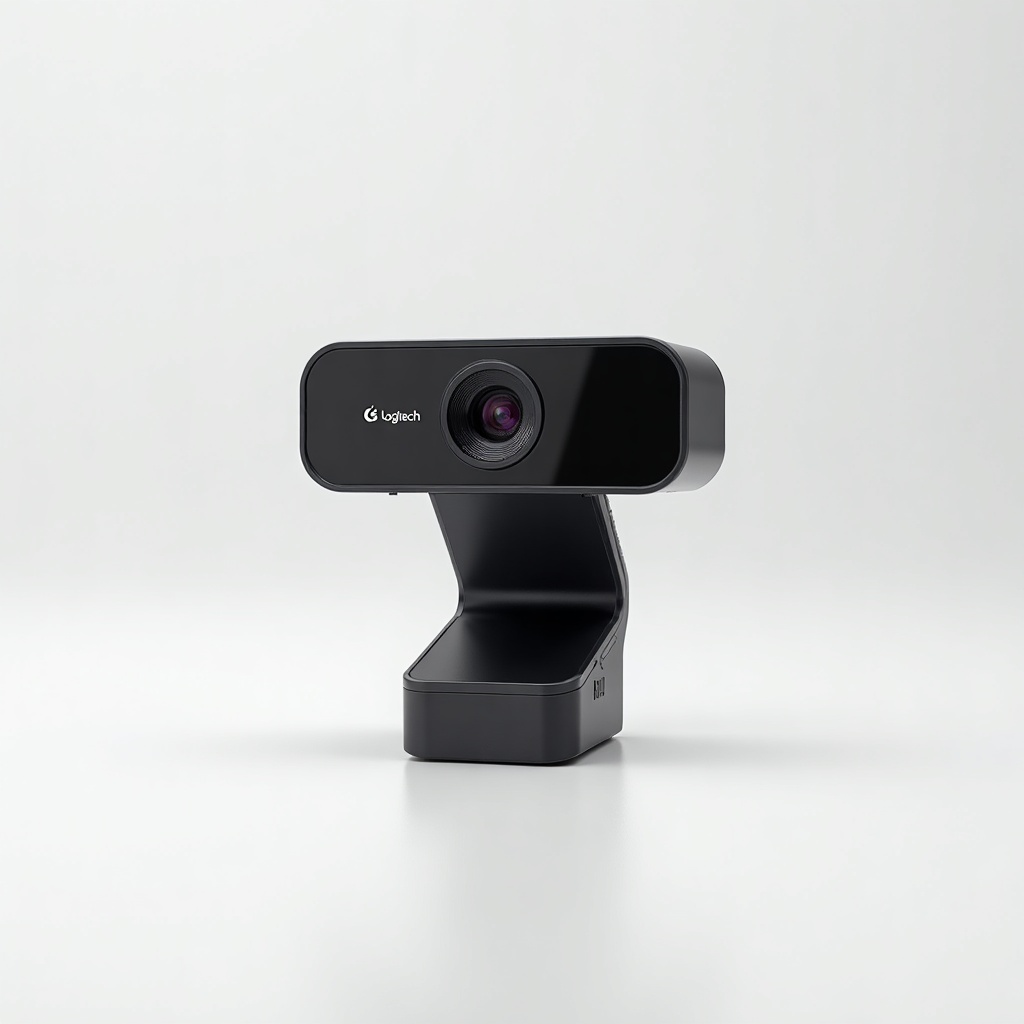
Logitech C920x HD Pro Webcam Review

Crisp 1080p video that makes your calls look like you actually planned them.
The C920x is the webcam most people should buy without overthinking it. Crisp 1080p video, plug it in, and your calls stop looking like a ransom note shot through a potato.
What the Logitech C920x actually is
It's a 1080p/30fps USB webcam that has quietly been the genre's reference point for the better part of a decade. The 'x' version is mostly the same proven hardware with a Logi bundled software twist, and it lands in the $50 to $80 range on Amazon depending on sales.
No fancy 4K, no built-in ring light, no motorized tracking. It clips to your monitor, mounts on a tripod, and shows up immediately in Zoom, Teams, Google Meet, and OBS. That boring reliability is the whole pitch, and it's a good one.
How it performs day to day
In decent lighting it looks genuinely good. Skin tones come across natural, the glass lens keeps edges sharp, and the 78-degree field of view frames one person well without sucking in your entire messy room. Autofocus is quick and rarely hunts. For meetings, interviews, and streaming, this is the level most people are actually chasing.
The catch is light. Like almost every webcam in this price tier, the C920x leans on software exposure to brighten dim scenes, and when it does, you get visible noise and a softer image. Sit near a window or put a lamp behind your monitor and it punches way above its price. Film at night with one sad overhead bulb and it looks ordinary. The dual mics are fine for a quick call but pick up room echo and keyboard clatter, so anyone serious about audio should pair it with even a cheap USB mic.
The pros and cons that matter
Pros: dependable 1080p that flatters you in good light, fast and accurate autofocus, broad app and OS compatibility, a sturdy clip that grips most monitors, and standard tripod threads for flexible mounting. It's also widely supported, so drivers and troubleshooting advice are everywhere.
Cons: weak low-light handling, average built-in mics, a fixed 30fps cap at 1080p (no buttery 60fps for streamers who want it), and no privacy shutter in the box. The bundled Logi software is more nag than necessity. None of these are dealbreakers for normal use, but they're real.
Who should buy it, who should skip it
Buy it if you take video calls regularly, want a clear upgrade over your laptop camera, and don't want to research for an hour. It's the safe default for remote workers, students, and beginner streamers, and our pick for anyone who just wants 'good' without spending real money.
Skip it if you stream professionally and crave 1080p60 (look at the Logitech StreamCam or a Sony ZV-1 setup), or if you work in a dark room and refuse to fix the lighting. If you only need basic video and budget is tight, the cheaper Logitech C270 or C310 cover the essentials, you just give up sharpness and that flattering glass lens.
The verdict
The C920x earns its long-running reputation. It's not exciting, and that's exactly why it works. Give it real light and it makes you look like you planned the call. At this price, it's the webcam to beat, and most people won't need anything pricier.
Frequently asked questions
- Does the Logitech C920x shoot in 4K?
- No. It maxes out at 1080p/30fps. If you specifically need 4K, look at the Logitech Brio, but most video calls and streams don't benefit from it.
- Is the C920x good in low light?
- It's only okay. In dim rooms the image gets noisy and soft as it brightens the exposure. Add a lamp or sit facing a window and it looks far better.
- What's the difference between the C920 and C920x?
- They're essentially the same camera. The C920x is mostly a packaging and bundled-software variant, so buy whichever is cheaper and in stock.
Marcus has spent over a decade testing consumer tech and gadgets. He cares about whether a product earns its price in real life — not on a spec sheet.


