Aura Carver 10.1" Digital Picture Frame Review

Text photos straight to Mom's frame from anywhere — no subscription, unlimited storage, gift-ready.
The pitch is simple: text a photo from your phone and it shows up on Mom's kitchen counter seconds later, no app she has to learn and no monthly fee. The Carver mostly delivers on that, which is why it's become the default gift-frame recommendation.
What the Aura Carver actually is
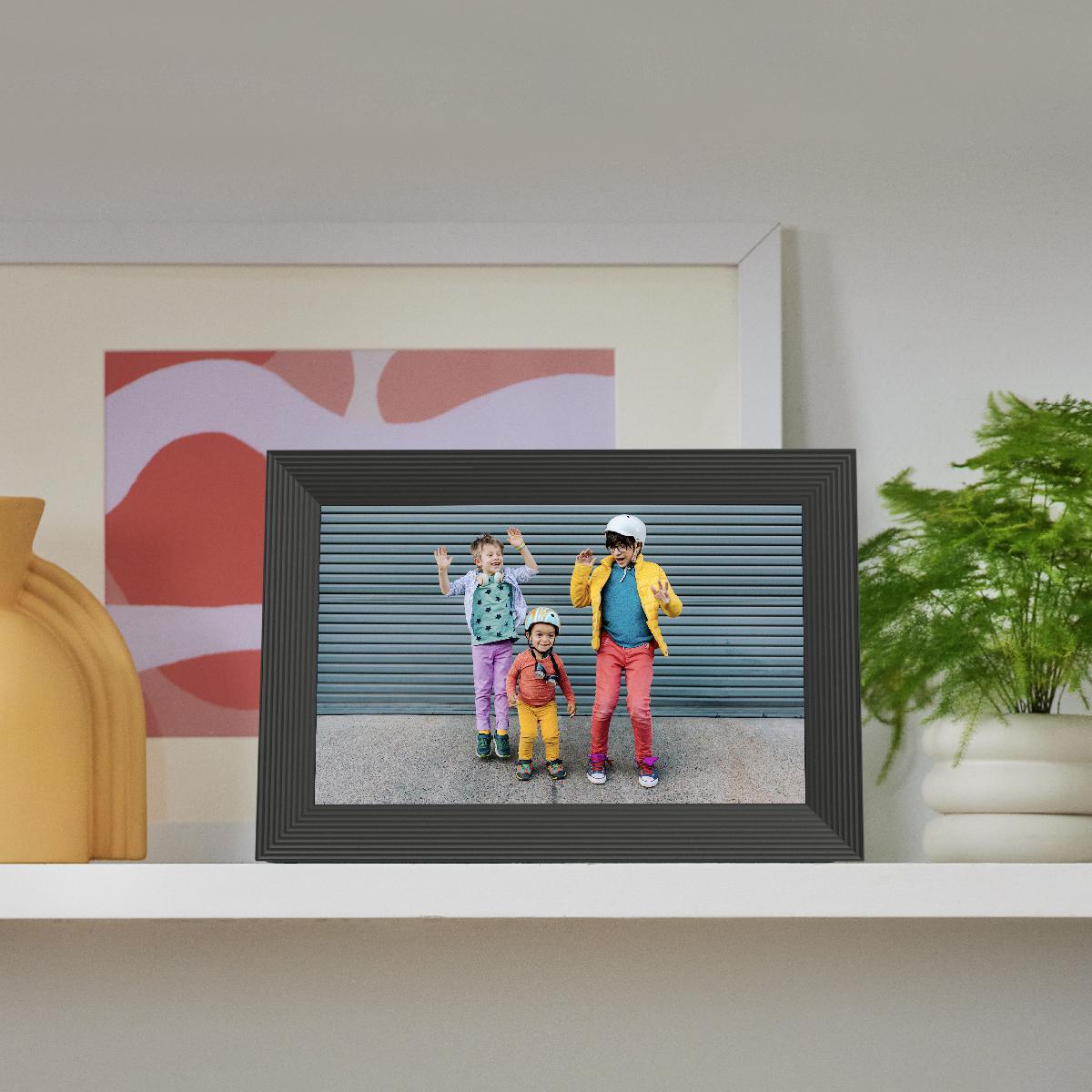
It's a 10.1-inch widescreen digital frame with a 1280x800 display, designed to sit on a counter or shelf and cycle through photos you and your family send it. The gimmick that matters is the sending part. You set it up once in the Aura app, invite family members, and anyone you've added can push photos to the frame from anywhere. Grandma never touches a setting.
Storage is unlimited and there's no subscription, which is the whole reason this thing exists. Competing frames from Nixplay and Skylight have flirted with paywalls and cloud fees over the years. Aura charges you once for hardware and that's it. For a gift you're buying for someone who hates recurring bills, that's a real selling point and not just marketing.
How it performs day to day
The screen is the strong part. It's a matte 1280x800 panel with good viewing angles and an ambient light sensor that dims it in a dark room so it doesn't glow at you during dinner. Photos look warm and natural rather than oversaturated. The widescreen 16:10 shape suits landscape shots better than portrait ones, which is worth knowing if your camera roll is mostly vertical phone pics.
Sending works the way it should. Photos arrive within seconds over Wi-Fi, and the frame auto-rotates and pairs portrait images side by side instead of stranding one tiny photo in a sea of black bars. The app handles invites cleanly, so the cousins can all contribute without anyone managing a shared folder. Owners consistently report it 'just works' for the non-technical relative, which is the entire job.
It's not flawless. There's no battery, so it has to live near an outlet. There's no clock or weather widget like some rivals offer, it only shows photos. And while the frame itself needs almost no tech savvy, the initial setup still falls on you, so plan to configure it before you wrap it.
The catches worth knowing
There's no remote and the only physical control is a touch bar on top, which is fine but minimal. Video playback is limited to short clips and they're muted by default. The 10.1-inch size is genuinely the sweet spot, but if you want something bigger, Aura's own larger frames cost noticeably more.
Price floats in the $130 to $160 range, which puts it above bargain frames on Amazon. You're paying for the software and the no-fee promise, not just the panel. A $60 generic frame will technically display photos too, until you're stuck loading an SD card by hand.
Who should buy it, who should skip it
Buy it as a gift for a parent or grandparent who wants family photos but won't fuss with technology. That's the killer use case and the Carver nails it. It's also a solid pick for a far-flung family that wants a shared frame everyone can feed.
Skip it if you want clock, calendar, and weather features, if you need something battery-powered and portable, or if your photos are almost all vertical and you'd rather a portrait-oriented frame. And if you're comfortable wrangling SD cards to save money, a cheap frame will do the literal job.
The verdict
The Aura Carver earns its reputation as the go-to gift frame. The no-subscription model, the genuinely easy sending, and the pleasant screen add up to a product that does one thing well and skips the nonsense. It's a confident recommendation for the right person, and that person is usually someone you're buying it for.
Frequently asked questions
- Does the Aura Carver require a monthly subscription?
- No. Storage is unlimited and there are no recurring fees. You pay once for the frame and can send unlimited photos through the Aura app forever.
- Can family members send photos to the frame remotely?
- Yes. Once the frame is set up, anyone you invite in the app can push photos to it from anywhere with their phone, and they arrive within seconds over Wi-Fi.
- Does the Aura Carver have a battery?
- No. It needs to stay plugged into an outlet, so it's meant to live on a counter or shelf rather than travel around the house.
Marcus has spent over a decade testing consumer tech and gadgets. He cares about whether a product earns its price in real life — not on a spec sheet.