Kasa Smart Wi-Fi Mini Plug (KP125, 4-Pack) Review

Make lamps, fans, and coffee makers voice- and schedule-controlled for a few bucks each.
Plug in a dumb lamp, say a word, and watch it turn on. The Kasa KP125 four-pack is the cheapest reliable way to automate the appliances you already own.
What the Kasa KP125 4-Pack actually is
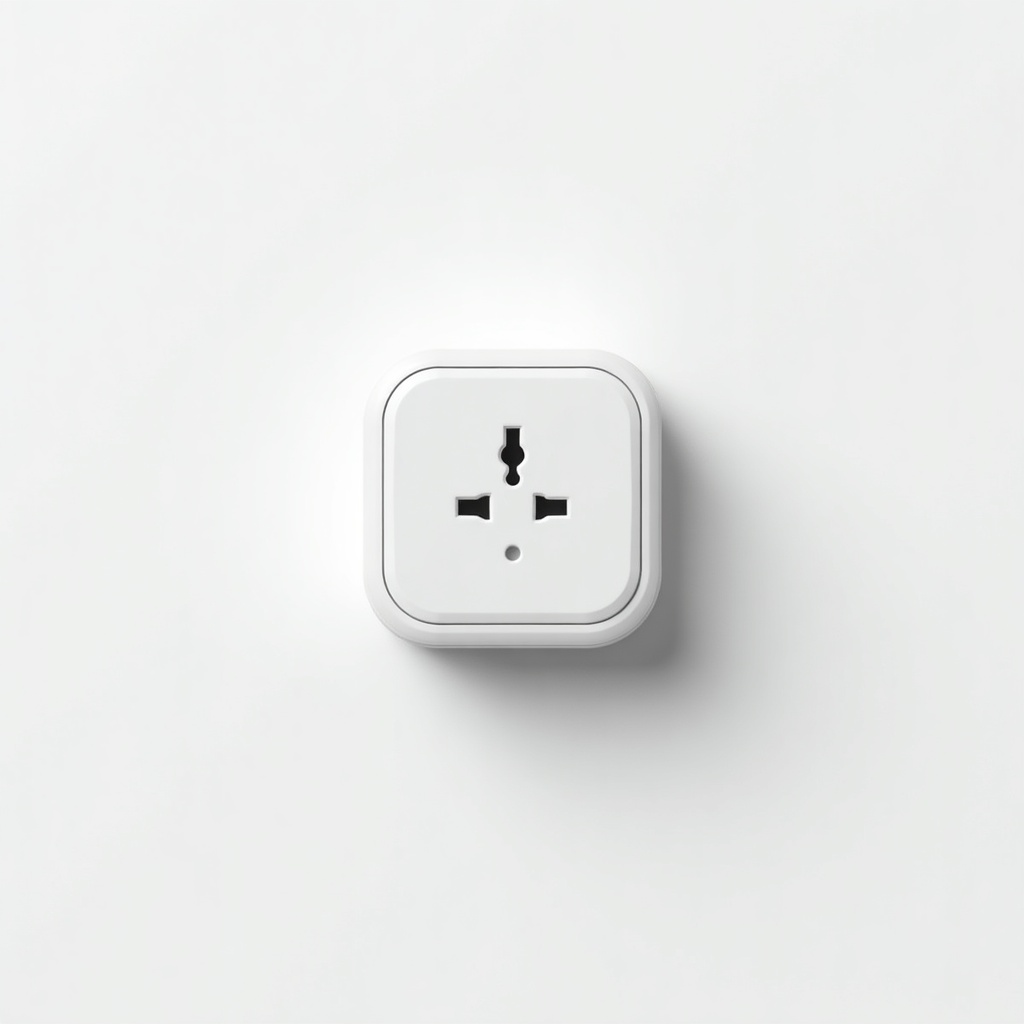
These are small Wi-Fi smart plugs. You put one between your wall outlet and whatever you want to control, then run it through the Kasa app, Alexa, or Google Assistant. Lamps, fans, coffee makers, space heaters, Christmas lights, the soldering iron you keep forgetting to switch off. Anything with a simple on/off switch becomes scheduleable and voice-controlled.
The KP125 specifically connects over 2.4GHz Wi-Fi with no hub required, which matters. You don't need a SmartThings or Hubitat bridge sitting around. It also does energy monitoring, so you can see roughly how many watts that old fridge or PC is pulling. The 'Mini' part is real too. The plug is compact enough that it usually won't block the second outlet, a problem that plagues bulkier smart plugs.
How it performs day to day
Reliability is the whole point of a smart plug, and Kasa's reputation here is earned. Owners consistently report that schedules fire when they're supposed to and voice commands respond fast. There's no noticeable lag between 'Alexa, turn on the lamp' and the lamp actually doing it. Compared to the cheaper no-name plugs that flood Amazon, Kasa devices tend to stay connected instead of dropping off Wi-Fi every few days.
Setup is the easy part. The app walks you through joining your network, and once a plug is on, it stays on. The energy monitoring is decent but not lab-grade. Treat it as ballpark data for spotting power hogs, not for billing disputes with your utility. The local control feature is a quiet win: basic on/off and schedules keep working even if your internet goes down, because the logic lives on the plug, not only in the cloud.
The catches worth knowing
First, 2.4GHz only. Most smart home gear is the same, but if your router pushes everything to 5GHz by default, you may need to separate the bands during setup. This trips up a lot of first-timers.
Second, the Kasa app is functional rather than beautiful, and TP-Link has been nudging users toward the newer Tapo ecosystem, which creates some confusion about which app to use. Stick with Kasa for these. Third, no Apple HomeKit support on the KP125, so iPhonethatHomeKit diehards should look elsewhere. And the energy data, again, is approximate. Don't buy these expecting a precise power meter.
Who should buy it, and who shouldn't
Buy the KP125 four-pack if you want a no-drama entry into home automation and already use Alexa or Google. At roughly $25 to $40 for four, the per-plug cost is hard to beat from a brand people actually trust. It's ideal for lamps, holiday lights, and turning off the iron you obsess over.
Skip it if you're an Apple Home household, since the lack of HomeKit is a dealbreaker there. Skip it too if you need to switch high-draw 240V appliances or anything beyond a standard 15A outlet load. And if you're already deep in Tapo or another ecosystem, match what you have instead of mixing apps.
The verdict
The Kasa KP125 4-Pack is the default recommendation in cheap smart plugs for good reason. It's small, it's reliable, it doesn't need a hub, and the four-pack price makes automating a whole room genuinely affordable. The app could be slicker and HomeKit users are out of luck, but for everyone on Alexa or Google, this is the easy pick.
Frequently asked questions
- Does the Kasa KP125 need a hub?
- No. It connects directly to your 2.4GHz Wi-Fi network and works with the Kasa app, Alexa, and Google Assistant without any separate hub or bridge.
- Does the Kasa KP125 work with Apple HomeKit?
- No. The KP125 supports Alexa and Google Assistant but not Apple HomeKit, so iPhone users who rely on the Home app should consider a HomeKit-compatible plug instead.
- Is the energy monitoring accurate?
- It's good enough to spot which appliances draw the most power, but treat the numbers as estimates rather than utility-grade readings. Use it to find power hogs, not to settle a billing argument.
Aaron digs into offers, cards, and software so you don't have to read the fine print. He flags the genuinely good deals and the traps.