Govee LED Strip Lights (Smart, RGB) Review

Paint your room any color and sync it to music—app and voice control without breaking the bank.
For under $30 you can wash your room in any color you want and have it pulse along to whatever's playing. The Govee LED Strip is the default starter strip for good reason.
What you're actually getting
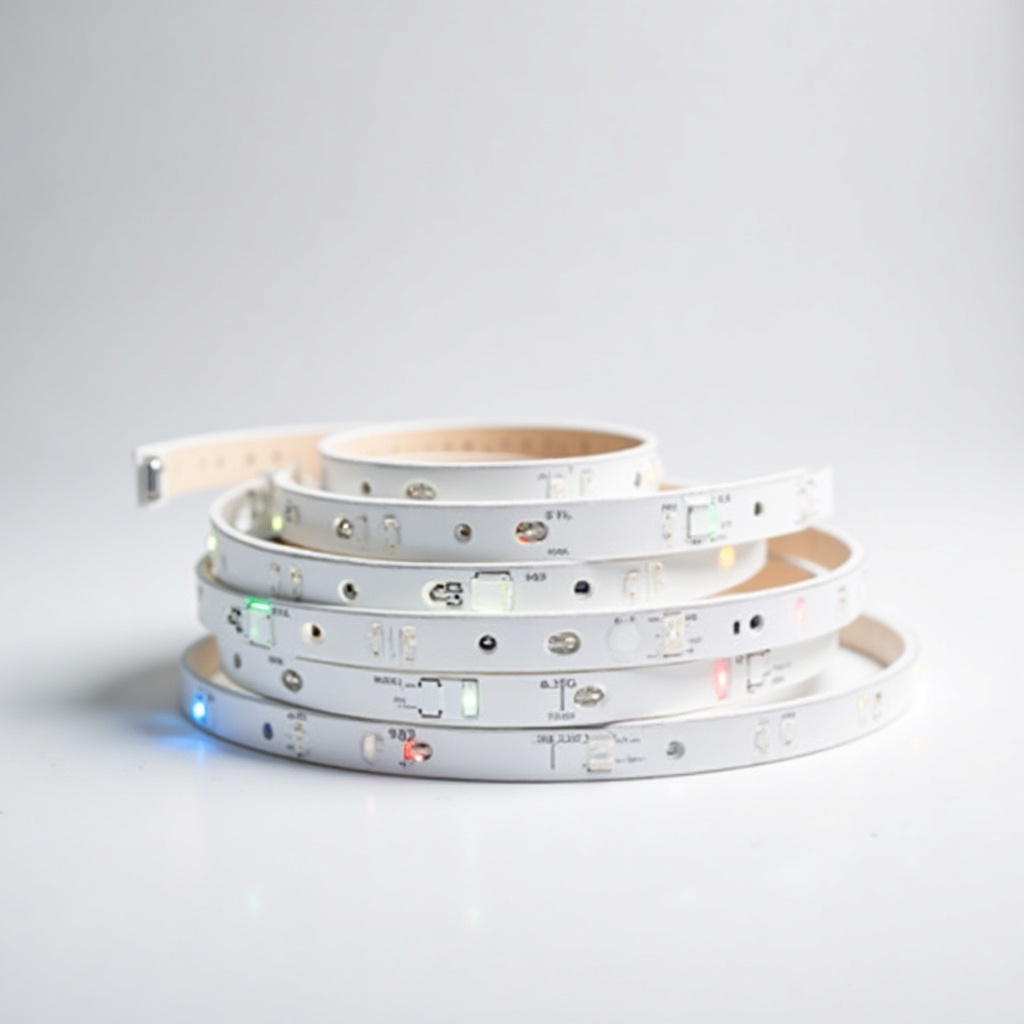
This is a roll of adhesive RGB LED tape, usually 16.4 feet, with a control box, a power brick, and a phone app. You stick it behind a TV, along a desk, under cabinets, or around the ceiling line of a bedroom. Then you control the color and brightness from the Govee Home app or with your voice through Alexa or Google Assistant.
It uses single-zone RGB color, which matters more than the spec sheet makes it sound. The whole strip shows one color at a time. You can't run a rainbow gradient down its length the way you can with the pricier RGBIC models Govee sells. For most people lighting a room or backlighting a TV, single color is fine. If you specifically want that flowing multi-color look from social media, this isn't the strip for it.
How it performs day to day
The color range is genuinely good for the money. Reds, blues, purples and warm whites all look rich. The one weak spot is white itself. With RGB-only LEDs there's no dedicated white channel, so pure whites lean slightly blue or pink and won't replace a real lamp for reading. As mood and accent lighting, it's more than bright enough.
Music sync is the party trick people buy it for, and it works through the phone's microphone picking up ambient sound. It's reactive and fun. It is not frame-accurate or studio-precise, and in a loud room the mic can get confused. The adhesive backing is the other recurring gripe. It holds on smooth, clean surfaces but gives up on textured walls and over time near warm electronics. Plenty of owners reinforce corners with mounting clips or a bit of extra tape and never think about it again.
Setup takes about ten minutes. The Govee Home app is busy and ad-heavy but functional, and the scenes and scheduling features are more generous than you'd expect at this price. Wi-Fi connection is the 2.4GHz variety, so older routers won't complain.
The good and the annoying
Pros: cheap, easy to install, voice control included, and a color payoff that punches above the price. The app's scene library and timer functions are legitimately useful, and the strip is easily cut to length if your run is shorter than 16 feet.
Cons: single-zone color means no gradients, white light is mediocre, the adhesive needs babysitting on rough surfaces, and the app pushes you toward Govee's other products. The control box also has to sit somewhere visible-ish, which bugs neat freaks.
Who should buy it, who should skip it
Buy this if you want affordable accent lighting for a bedroom, dorm, desk, or TV backlight and you're happy with one color at a time. It's the obvious first smart strip for someone who isn't sure they'll even use the features. Gamers and streamers on a budget get the most charm out of it.
Skip it if you want flowing multi-color effects, screen-matching backlight that mirrors your TV, or a strip bright and accurate enough to actually light a room for tasks. For those, step up to Govee's RGBIC line or the TV-sync kits. They cost more and earn it.
Verdict
The Govee LED Strip Lights are the right answer to a simple question: cheap smart color that just works. Manage your expectations on the white light and the sticky tape, and you'll get a lot of fun for $15 to $30. It's the strip we'd point a first-timer to without hesitation.
Frequently asked questions
- Do Govee LED strips work with Alexa and Google Home?
- Yes. These strips connect over 2.4GHz Wi-Fi and support Alexa and Google Assistant for voice control of power, color and brightness. Setup runs through the Govee Home app first.
- Can you cut Govee LED strips to a shorter length?
- Yes, there are marked cut lines along the strip so you can trim it to fit a shorter run. You can shorten it but you can't extend a single strip past its rated length without a proper add-on kit.
- Why does the white light look blue or pink?
- This is an RGB strip with no dedicated white LED channel, so white is mixed from red, green and blue and never looks perfectly neutral. For true clean white, choose a model with a separate white channel.
Marcus has spent over a decade testing consumer tech and gadgets. He cares about whether a product earns its price in real life — not on a spec sheet.