Eero 6+ Mesh Wi-Fi System (3-Pack) Review

Blanket your whole home in fast, reliable Wi-Fi and kill dead zones for good.
If your router can't reach the back bedroom and you'd rather not get a PhD in networking, the Eero 6+ is the path of least resistance. Three pucks, a phone app, and most homes go from spotty to solid in about ten minutes.
What the Eero 6+ actually is
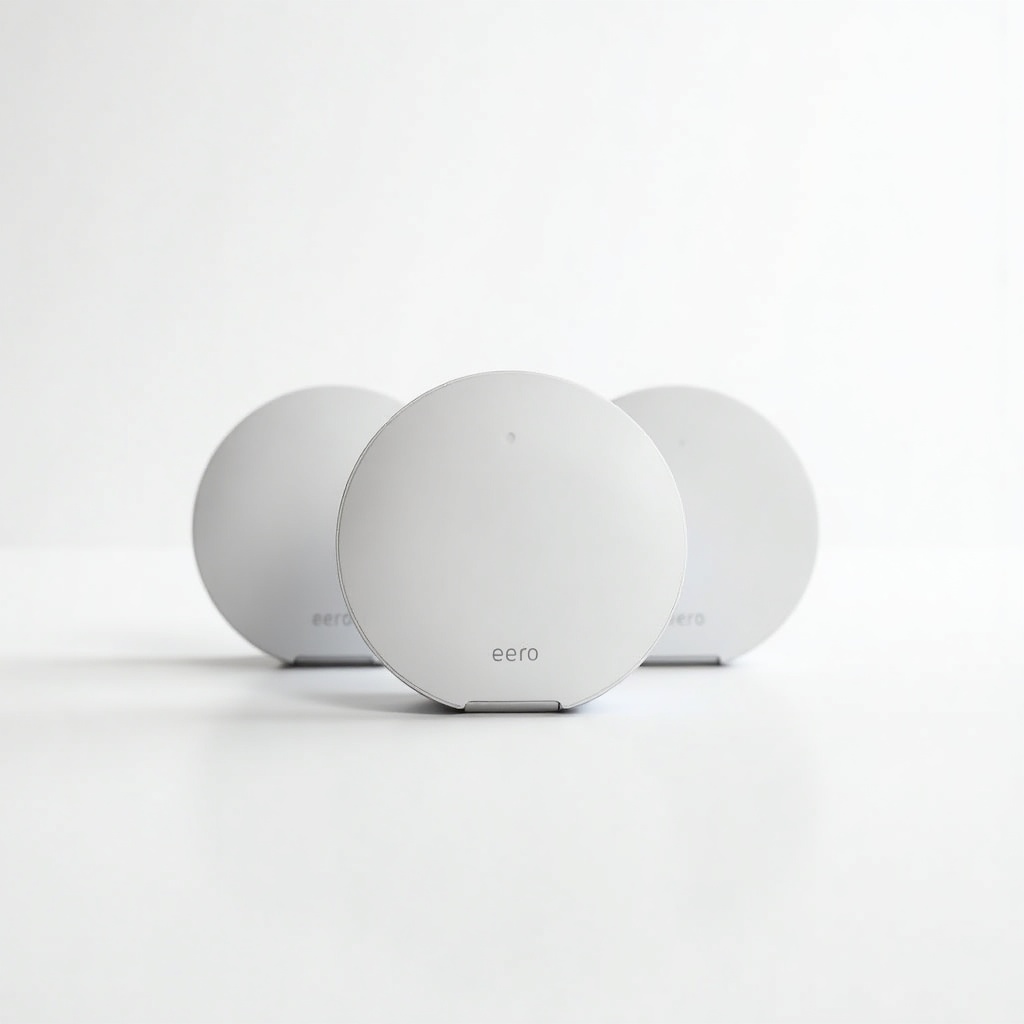
This is Amazon's mid-tier mesh kit. Three identical nodes that talk to each other and spread one network across a house, covering up to roughly 4,500 square feet according to Amazon. It runs Wi-Fi 6 (the dual-band kind, not the fancier 6E), and the headline upgrade over the plain Eero 6 is support for gigabit internet plans. If your ISP gives you 800Mbps or 1Gbps, this is the version that can actually pass most of it through.
Each unit has two Ethernet ports, which matters more than people expect. You can hardwire a TV, a console, or a desktop, and you can backhaul nodes over cable if your walls are unfriendly to wireless signal. Setup happens entirely in the Eero app, and it's genuinely the smoothest in the category. No web dashboard wrestling, no cryptic blinking lights.
How it performs day to day
For the thing most people buy mesh to fix, killing dead zones, it just works. Owners consistently report that the far corners of the house finally get usable signal, and devices hand off between nodes without you noticing. Video calls don't drop when you walk to the kitchen. The 4K stream in the bedroom holds. That's the whole job, and the Eero 6+ does it reliably.
Raw speed is the honest caveat. This is a dual-band system, so the nodes share the same airwaves for talking to each other and to your devices. On a gigabit plan you'll see strong numbers near a node and noticeably less out at the edges. For a 200 to 500Mbps connection, which is what most homes actually have, it's plenty. If you're paying for multi-gig fiber and want every megabit, this is not the kit. Look at the tri-band Eero Pro 6E or a Wi-Fi 7 system instead.
The pros and cons worth knowing
The good: dead-simple setup, rock-steady performance, a clean app, and a small footprint that doesn't look like a robot spider on your shelf. It supports about 75 connected devices, doubles as a Thread and Zigbee smart home hub, and updates itself in the background. For a no-fuss whole-home network, it's hard to beat at this price.
The catch: some genuinely useful features sit behind Eero Plus, a paid subscription. Things like ad blocking, advanced security, and parental controls. The core network is free forever, but if you want the safety extras you're signing up for a recurring fee. There's also the Amazon factor. Setup wants an Amazon account, and if you're allergic to Amazon owning your network gear, that's a real consideration. Power users will also miss deep manual controls; this is built to be invisible, not tinkered with.
Who should buy it, and who should skip it
Buy it if you have a medium-to-large home, an internet plan around 200 to 1,000Mbps, and zero interest in managing a network. This is the set-and-forget pick for most families. It's also a smart move if you already run Alexa and smart home gear, since the Thread and Zigbee radios cut down on extra hubs.
Skip it if you've got multi-gig fiber and want to use it, or if you're the type who wants VLANs, custom DNS rules, and a wall of toggles. Get the Eero Pro 6E, a Wi-Fi 7 mesh, or something from Ubiquiti instead. And if your home is small and your current router only struggles in one spot, a single mesh node or an extender will cost a lot less.
The verdict
The Eero 6+ 3-Pack is the easy, sensible answer to bad Wi-Fi. It's not the fastest mesh on the shelf and it nudges you toward a subscription, but for normal homes on normal internet plans it delivers exactly what it promises: reliable coverage everywhere, with almost no effort. At roughly $200 to $280 it's well priced for what it does. Recommended for most people who just want the dead zones gone.
Frequently asked questions
- Does the Eero 6+ require a subscription to work?
- No. The full mesh network, app, and automatic updates are free. The optional Eero Plus subscription only adds extras like ad blocking, security scanning, and advanced parental controls.
- Is the Eero 6+ good for gigabit internet?
- It can handle gigabit plans, and you'll see close to full speed near a node. Because it's dual-band, speeds drop at the edges of coverage. For 200 to 500Mbps plans it's ideal. For true multi-gig fiber, step up to a tri-band Eero Pro 6E or a Wi-Fi 7 system.
- How big a house does the 3-pack cover?
- Amazon rates the three-pack for up to about 4,500 square feet. Real coverage depends on walls and layout, but for most two- to three-story homes the three nodes are enough to blanket the whole place.
Marcus has spent over a decade testing consumer tech and gadgets. He cares about whether a product earns its price in real life — not on a spec sheet.