Aqara Smart Hub M2 Review

Quiet command center that ties Aqara sensors and switches into HomeKit, Alexa, and Google.
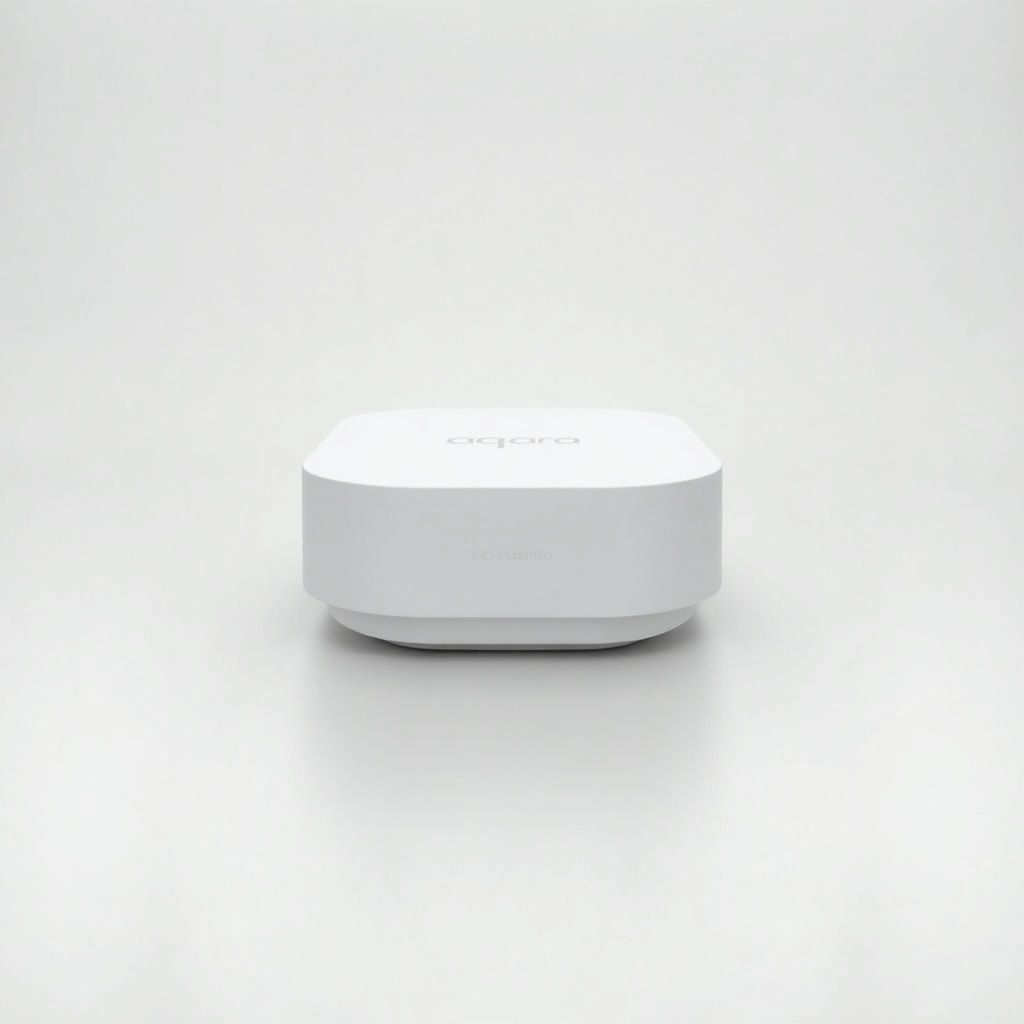
If you've been eyeing Aqara's dirt-cheap sensors and switches but couldn't figure out how to get them into HomeKit, the M2 is the missing piece. It's a quiet little box that turns a pile of affordable Zigbee gadgets into a real smart home.
What the Aqara Smart Hub M2 actually is
The M2 is a Zigbee hub. That's the short version. Aqara makes a whole catalog of motion sensors, door contacts, temperature sensors, water leak detectors and wireless buttons that cost a fraction of what you'd pay for the Wi-Fi equivalents, and almost none of them talk to your phone on their own. The hub is what makes them speak. Plug it in over Ethernet or Wi-Fi, pair your sensors, and they show up in the Aqara app and, more importantly, in Apple Home, Alexa and Google.
It runs roughly $50 to $70 on Amazon, which is the real selling point. Once you've bought the hub, the actual sensors are so cheap that building out a room or two barely dents your wallet. A motion sensor that triggers HomeKit automations for the price of a sandwich is the whole pitch here.
How it performs day to day
By most owner accounts the M2 is the boring kind of reliable, which is exactly what you want from infrastructure. Sensors fire quickly, automations run locally through the hub rather than bouncing off a cloud server, and HomeKit users get the bonus of triggers that keep working even when your internet drops. Aqara's local processing is genuinely one of its better traits compared to budget brands that route everything through their servers.
Two features set it apart from a plain Zigbee bridge. There's a built-in IR blaster, so it can fake a TV or air conditioner remote and pull those into your automations. And it can act as a network speaker for alarm sounds and chimes, which is handy if you're wiring up the leak and motion sensors as a poor man's security setup. Range is fine for an apartment. Big houses with thick walls may need a second hub or some Aqara repeating devices to keep distant sensors connected.
The catches worth knowing
The Aqara app is functional but not lovely, and it occasionally feels translated. Setup can be fussier than the box suggests, especially if you try to add devices over 5GHz Wi-Fi when the hub wants 2.4GHz. Plan for a little patience on day one.
The bigger long-term question is Matter and Thread. The M2 is a Zigbee hub, not a Thread border router, so it's a slightly older approach to the smart home. Aqara has been adding Matter export support through firmware, which extends its life, but if you're betting heavily on a Thread-based future you might look at newer hubs. For most people pairing Aqara's own sensors right now, none of that matters.
Who should buy it, and who shouldn't
Buy the M2 if you already use Apple Home and want cheap, reliable sensors that trigger real automations. It's also a smart pick for anyone building a leak or motion alert system on a budget, since the hardware costs are so low. The IR blaster sweetens the deal for older AC units and TVs.
Skip it if all your gear is already Wi-Fi or Matter-native and works fine without a bridge. There's no reason to add a hub you don't need. And if you specifically want Thread border router duties, this isn't the device for that job.
The verdict
The Aqara Smart Hub M2 is one of the best-value entry points into a proper smart home, full stop. It's not flashy and the app could be friendlier, but it does the unglamorous work of making cheap sensors talk to HomeKit, Alexa and Google without nagging the cloud. For the price, it's an easy recommendation for anyone in the Aqara ecosystem.
Frequently asked questions
- Does the Aqara M2 work with Apple HomeKit?
- Yes. HomeKit support is one of the M2's main draws, and it lets Aqara sensors trigger automations locally even if your internet connection drops. It also works with Alexa and Google Home.
- Do I need the Aqara hub to use Aqara sensors?
- For most of Aqara's Zigbee sensors and switches, yes. They don't connect to Wi-Fi on their own and need a hub like the M2 to bridge them into the Aqara app and voice assistants.
- Does the Aqara M2 support Matter and Thread?
- The M2 can export Zigbee devices to Matter via firmware updates, but it is not a Thread border router. If Thread is essential to your setup, consider a newer Aqara hub instead.
Aaron digs into offers, cards, and software so you don't have to read the fine print. He flags the genuinely good deals and the traps.